
For most personalized song gifts, MP3 at 320 kbps is the right call: it plays instantly on any phone, car system, or Bluetooth speaker without the recipient doing a thing. WAV earns its keep when the song will play at a wedding reception, through a professional sound system, or when you want an archival copy that never needs re-exporting. The trade-off is simple: MP3 is smaller and universally compatible, WAV is heavier but preserves every bit of the original recording.
TL;DR:
- MP3 at 320 kbps is ideal for quick, universal delivery through email or messaging, while WAV is better suited for professional sound systems or archival purposes.
- High-quality MP3 files at 256 to 320 kbps retain nearly all audible detail, making them suitable for casual listening, whereas WAV files are larger but preserve the original waveform perfectly.
- For live event playback, WAV is generally preferred to avoid compression artifacts, but testing the file on similar equipment beforehand is recommended.
- Always keep a WAV master for remastering or future re-export, even if the final gift is delivered as an MP3 to ensure quality preservation.
- Compatibility issues with physical devices or memory limits often make MP3 the practical choice, especially on low-capacity modules or when size is a concern.
Table of Contents
- Mp3 vs Wav Gift: Matching Format to Occasion
- Lossy vs Lossless: What MP3 and WAV Actually Do Differently
- When WAV Is Worth It (and When It Isn't)
- A Quick Checklist Before You Export or Deliver
- Export Settings That Actually Matter for a Gifted Song
- Choosing How to Deliver a Gifted Song
- The Workflow Producers Use (and Why It Works for Gifts Too)
- Music Gifting and Copyright: What to Know Before You Share
- Why the Format Debate Misses the Real Point
- How Dearsong Turns a Story Into a Song You Can Actually Send
- Sources
- FAQ
Mp3 vs Wav Gift: Matching Format to Occasion
Picking between MP3 and WAV for a gift comes down to one question: how will the recipient actually experience it? A birthday song opened on a phone at breakfast has completely different needs than a first-dance track played through a wedding DJ's system.
Here's how the common gifting scenarios break down:
- Emailed or texted song for a birthday, anniversary, or "just because" moment: MP3. It attaches easily, streams instantly, and works on every device without a compatibility hiccup.
- First dance, vow renewal, or any song played through a venue's sound system: WAV, or at minimum a 320 kbps MP3 you've tested on similar equipment beforehand. Professional systems reveal compression artifacts that a phone speaker never will.
- USB drive, engraved audio module, or novelty gift box: check the device's supported formats and memory first. Many budget modules only hold a few megabytes, which makes MP3 the practical choice regardless of preference.
- Keepsake meant to last decades, like a memorial song or an anniversary track you might remaster later: WAV, kept as a private master file even if you deliver MP3 for everyday listening.
When you're not sure which the moment calls for, keep both. A WAV master costs you nothing but storage space, and you can always export a fresh MP3 later if the original file gets lost or a family member wants a cleaner copy. Compatibility-wise, MP3 remains the format every phone, car stereo, and streaming app reads without conversion, which is exactly why it dominates casual gifting.
Lossy vs Lossless: What MP3 and WAV Actually Do Differently
MP3 is a lossy format. It uses perceptual encoding to throw away audio information that most human ears don't register, shrinking the file dramatically in the process. WAV is the opposite: an uncompressed, lossless container built on PCM data that preserves the exact original waveform, sample for sample, with nothing discarded.
That difference sounds bigger than it usually is in practice. A well-encoded MP3 at 256 to 320 kbps keeps the vast majority of what a listener would notice on a phone, a laptop, or a car stereo. The algorithm is specifically tuned to cut frequencies and details the human ear struggles to perceive under normal listening conditions, not just to compress randomly.
Three technical factors decide how much you can actually hear the gap:
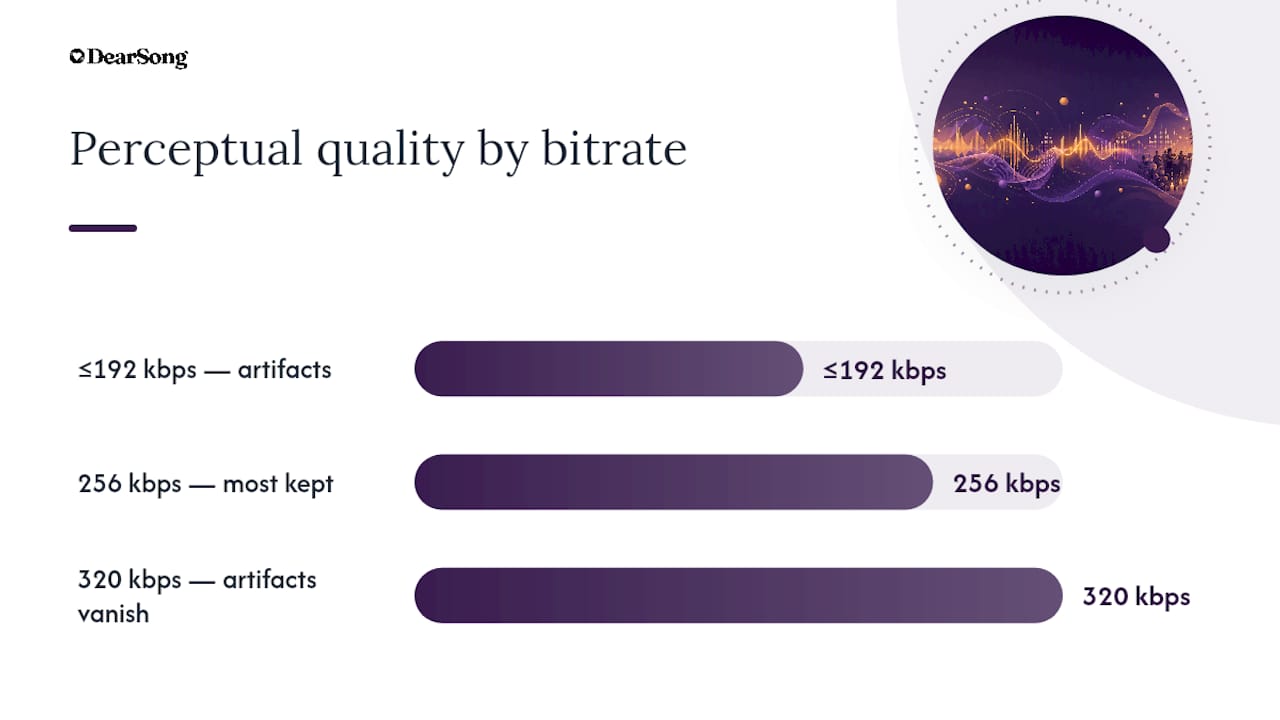
- Bitrate determines how much data MP3 keeps per second of audio. Below 192 kbps, compression artifacts (a slight hollowness or "swishing" on cymbals and vocals) become noticeable to most listeners. At 320 kbps, they mostly disappear.
- Sample rate governs how many times per second the audio is measured. CD-quality audio runs at 44.1 kHz, which covers the full range of human hearing and applies equally to MP3 and WAV.
- Bit depth controls dynamic range, the difference between the quietest and loudest parts of a track. WAV files commonly run 16-bit or 24-bit; higher bit depth matters more for studio editing than for a finished gift.
Environment changes everything here. Trained audio engineers listening on studio monitors can reliably tell a well-encoded MP3 apart from a WAV file, especially at lower bitrates. Casual listeners on earbuds, phone speakers, or in a moving car very often cannot. That gap between trained and casual listening is the whole reason this decision is less about "better audio" in the abstract and more about who's listening and how.
Quick numbers that matter for a gift: a three-minute song exported as a 320 kbps MP3 typically runs around a few megabytes. The same song as a 44.1 kHz, 16-bit WAV file is several times larger, with a 24-bit version larger still. That tenfold size difference is why WAV files choke email attachments and fill up cheap USB gadgets fast, while MP3 slides through text messages and cloud links without friction.
The practical takeaway: file size isn't just a technical detail, it dictates how easily your gift actually reaches the recipient and plays without a hitch.
When WAV Is Worth It (and When It Isn't)
Choosing the right format for a gifted song comes down to matching fidelity needs against how portable the file needs to be. Here's a practical order of operations:
- Default to MP3 for anything shared digitally. If the recipient will open the song on a phone, in a text message, or through a private link, a 320 kbps MP3 delivers essentially the full experience with none of the transfer headaches.
- Switch to WAV for live playback at an event. Weddings, memorials, and milestone parties often run through a venue's PA system or a DJ's laptop, where compression artifacts show up more at higher volumes. Sound engineers generally prefer a lossless file for exactly this reason.
- Choose WAV when the recipient is an audiophile or musician. If you know the person owns real studio monitors or cares deeply about sound quality, the extra file size is worth the gesture.
- Check memory limits before loading a physical module. DIY audio gifts, like a small recordable card or a novelty playback device, often cap out at a few megabytes of storage. In that case, MP3 usually wins by necessity even if you'd prefer WAV, unless the module specifically lists WAV support.
- Keep a WAV master regardless of what you deliver. Even when the delivered file is MP3, holding onto a lossless original means you can re-export at any bitrate later, add a new mix, or upgrade the copy without redoing the whole project.
The edge cases are where people get tripped up. A recordable photo frame or voice module might advertise "high quality audio" while only supporting compressed formats internally, so the WAV-vs-MP3 debate becomes moot the moment you check the spec sheet. When in doubt, test a short sample file on the actual device before finalizing the real gift.
A Quick Checklist Before You Export or Deliver
Before you commit to a format, walk through a few practical questions. They take five minutes and prevent the most common gifting mistakes.
- What will the recipient use to play it? A phone and Bluetooth speaker favors MP3. A home theater system or professional event setup favors WAV.
- Is this song going to be played live, at a party, wedding, or gathering? If yes, lean WAV or a very high-bitrate MP3, and test it on similar equipment beforehand if you can.
- Are you loading it onto a physical gadget? Recordable modules, novelty gift boxes, and cheap USB drives often cap storage in the single-digit megabytes, which rules out WAV automatically in many cases.
- Do you want a printable element, like a QR code or lyric card, alongside the audio? That changes your delivery method as much as your format choice, since a printed piece needs a stable link or file the recipient can access anytime.
- Will anyone want to remix, remaster, or reuse this file later? If there's any chance of that, keep a lossless master even if you never end up needing it.
Pro Tip: Before finalizing any DIY audio gift device, load a 30-second test clip and play it end to end. Cheap playback modules sometimes cut off audio early or distort at low bitrates, and it's much easier to catch that with a test file than with the real gift.
Running through these five questions takes almost no time compared to the disappointment of a gift that won't play, or a file too large to send. Most gifting mistakes with MP3 and WAV aren't about audio quality at all. They're about compatibility nobody checked in advance.
Export Settings That Actually Matter for a Gifted Song
Getting the export settings right is less complicated than it sounds. For MP3, aim for 256 to 320 kbps. The higher end, 320 kbps, is worth the negligible size increase whenever the recipient might listen critically, on good headphones or a real speaker system, rather than through a laptop's built-in speaker.
For WAV, standard music export uses 44.1 kHz at 16-bit, which matches CD-quality audio and covers virtually every listening scenario. If the song will accompany a video, 48 kHz is the better match since it aligns with standard video audio sampling. Reach for 24-bit only when you're keeping a true archival master or plan to remix the track later, since the extra headroom mostly benefits studio editing rather than final listening.
A couple of practical rules round out the export process:
- Normalize the final mix so the volume matches typical listening levels; a song that's too quiet gets skipped, one that's too loud can distort on cheap speakers.
- Dither only when reducing bit depth, for instance going from a 24-bit master down to a 16-bit delivery file. Skipping this step on a bit-depth reduction can introduce faint but audible noise.
- Name your files clearly: something like "ForMomBirthday_JaneDoe_2026.mp3" beats a generic export name like "final_v3.wav" when the recipient is trying to find it on their phone six months later.
- Add basic metadata: title, artist (or "Written for [Name]"), and even the occasion in the comments field. It's a small touch that makes the file feel like a real gift instead of an anonymous download.
Choosing How to Deliver a Gifted Song
The format decision only solves half the problem. How the file actually reaches the recipient shapes the experience just as much.
Direct file transfer (email or messaging apps) works well for MP3 but runs into trouble fast with WAV, since most email providers cap attachments around 25 MB. A single WAV file can eat that entire limit on its own.
A private link, like an unlisted video upload or a cloud storage share, sidesteps size limits entirely and lets you deliver either format without friction. It also adds a layer of privacy since the song isn't sitting in a public feed.
Physical modules and DIY gifts need the most caution. Confirm the device's storage capacity and supported file types before you load the final song, since many low-cost playback gadgets impose strict memory ceilings that make WAV impractical regardless of preference.
A few small touches make any of these methods feel more like a real occasion:
- A printed insert or gift poster with a QR code linking straight to the song
- A labeled USB drive instead of a bare, unmarked one
- A short handwritten note explaining the story behind the lyrics, paired with the digital handoff
If you're pairing the song with a physical present, a partner resource like Baby in Every Language's occasion-based gift shop can help round out the moment with something tangible to hold alongside the file.
The Workflow Producers Use (and Why It Works for Gifts Too)
Professional studios follow one rule consistently: record and mix in WAV or AIFF, then export MP3 only for distribution. The lossless file stays untouched as the master; the compressed copy goes out into the world.
That same logic applies to a gifted song. Keep a WAV master, and generate a 256 to 320 kbps MP3 for whatever platform the recipient will actually use. This workflow avoids irreversible quality loss if you ever want to remaster, extend the song, or produce a higher-fidelity version down the line. It also means a lost or corrupted MP3 never costs you the original recording. For DIY playback modules with tight memory limits, this same master-plus-delivery-copy habit keeps you from ever needing to choose between quality and compatibility twice.
Music Gifting and Copyright: What to Know Before You Share
Gifting a personalized song is different from gifting a copy of a song someone else owns. If you commission an original composition, written specifically for the occasion, you're generally in clear territory: the song is created for you, and licensing terms should come with the purchase.
The legal gray area shows up when people try to gift covers or remixes of existing commercial songs. Re-recording or re-arranging a copyrighted song without permission, even for a private gift, can violate the original songwriter's rights depending on how it's distributed and used. Posting that kind of file publicly, on social media or a public video platform, carries more risk than sharing it privately with one recipient.
If you want background music behind a personal narration or slideshow, stick to royalty-free tracks or music explicitly licensed for that use. And if the plan includes any commercial use, like a jingle for a business launch or public brand content, confirm the license covers commercial rights specifically, since personal-use licenses typically don't extend that far. When in doubt, an originally composed piece sidesteps the entire question, since there's no existing copyright to navigate.
Why the Format Debate Misses the Real Point
The MP3-versus-WAV argument tends to fixate on technical purity when the actual measure of a good gift is whether the recipient can press play without friction. A flawless WAV file that a grandparent can't figure out how to open on their phone accomplishes nothing.
WAV earns its place at weddings, memorials, and anywhere a song plays through real speakers in front of a room. Those moments reward the extra fidelity because the format's advantages actually surface at volume and on good equipment.
For nearly everything else, a well-exported MP3 paired with a kept WAV master gives you the best of both: instant compatibility now, and a lossless backup if the moment ever calls for more.
— Vlad
How Dearsong Turns a Story Into a Song You Can Actually Send
Dearsong writes an original song around your story, then hands you a file built to be opened, not fought with: an MP3 download plus a private YouTube link that plays on any phone, laptop, or living room TV without a single compatibility question.
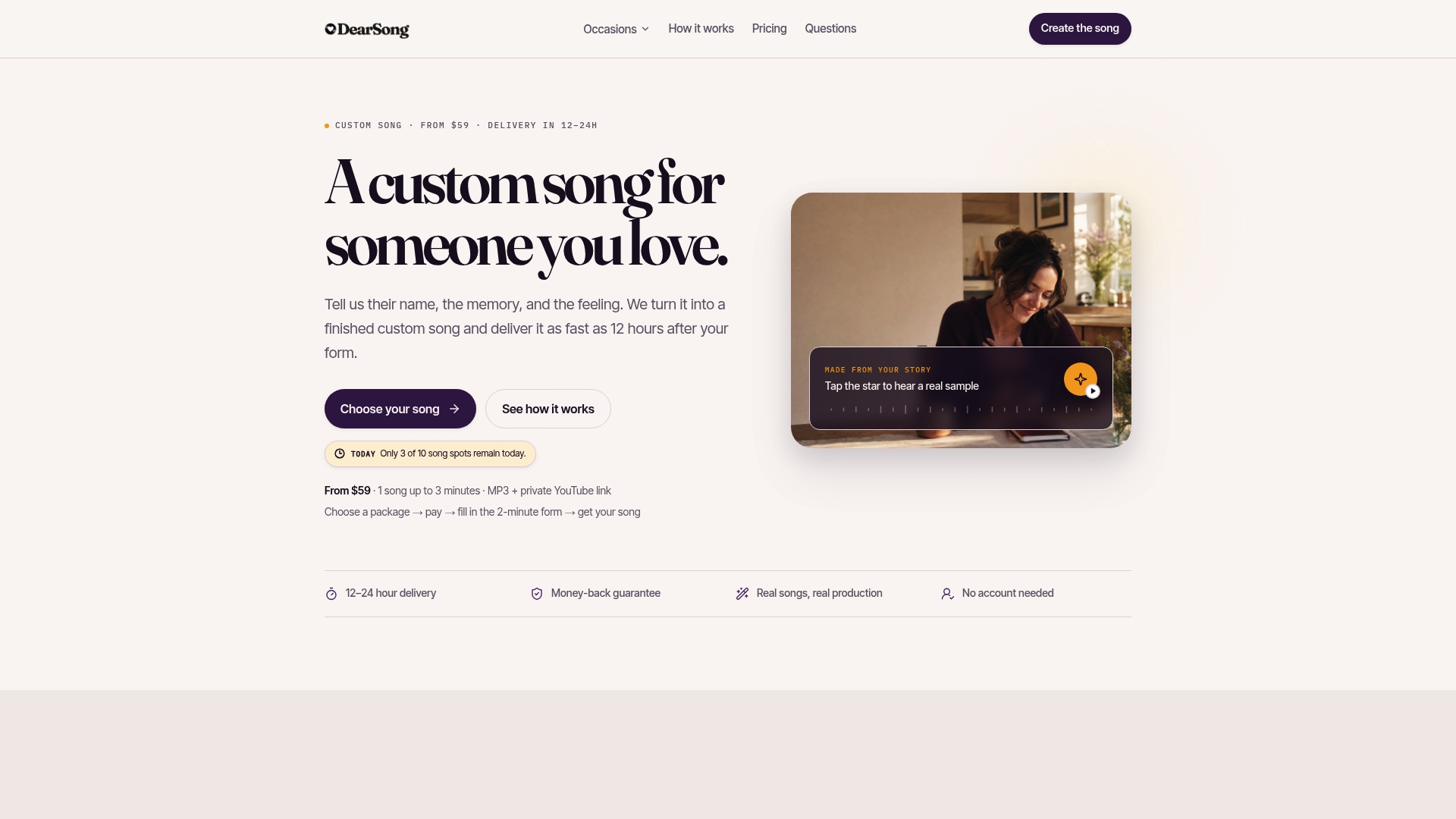
The Essential package delivers one original song, up to three minutes, within 24 hours of your completed brief. The Signature package adds priority delivery in 12 hours, two song versions to choose between, one free lyric rewrite, and a printable gift poster with a QR code that links straight to the track, ideal for handing someone a physical object alongside the digital gift. If you're weighing formats and delivery methods on your own, skip the export settings entirely and listen to real examples of finished songs first. When you're ready, compare the Essential and Signature packages and start the short brief form that turns a name, a memory, and a mood into a song someone will actually keep.
Sources
FAQ
Is WAV Really Better Than MP3?
WAV is technically higher fidelity since it's uncompressed and lossless, but "better" depends on how the song will be played. For live events and archival masters, WAV is the preferred format among sound engineers; for phones, texts, and everyday listening, a high-bitrate MP3 sounds essentially identical to most listeners.
Is MP3 Outdated Now?
No. MP3 remains universally supported across every phone, car system, and streaming platform, and a 320 kbps MP3 satisfies the vast majority of casual listening situations. It's still the default choice for sharing a gifted song digitally.
Is It Better to Export as WAV or MP3?
Export both when possible: a WAV master for archiving or future remastering, and an MP3 at 256 to 320 kbps for the actual delivered gift. This two-file workflow is standard practice among producers and avoids ever having to choose one over the other permanently.
Is WAV or MP3 Better for Songs Played at an Event?
WAV, when the venue has a real sound system, since compression artifacts become more noticeable at higher volumes on professional equipment. If you're unsure the WAV file will be compatible with the venue's playback setup, test it beforehand or bring a backup MP3 at 320 kbps.
Does DearSong Deliver Songs in WAV or MP3?
Dearsong delivers finished songs as an MP3 download alongside a private YouTube link, which covers phones, laptops, and most playback devices without any conversion needed. Current package pricing and delivery timing are listed on the DearSong pricing page.